
Are you aware of the fact that getting a huge amount of organic traffic land on your Shopify store is entirely doable because of its applicability and cost-effectiveness? As a matter of fact, getting organic results is a level playing field. However, it requires considerable investment to craft impeccable content along with carrying out strategic SEO campaigns.
So, it’s important to know about SEO and content marketing, but they are just some of the traffic channels that you can tap into. Some other relevant channels are PPC advertising, email marketing, and social media marketing.
Your Shopify store must diversify the traffic sources and shouldn’t just rely on one or two traffic sources. In this blog post, you’ll learn about the Shopify SEO checklist that you can follow to optimize your online store for success. So, let’s begin with the checklist right away!
Carrying Out Robust Keyword Research
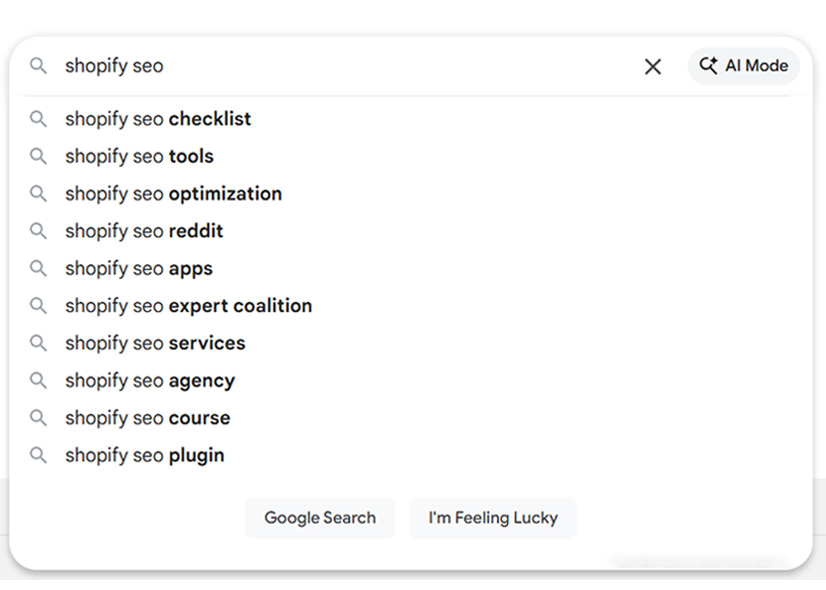
Even before you begin with the optimization of your Shopify store, you should understand the keywords you want to target and know why you’re targeting them. For this purpose, you must perform robust keyword research. For e-commerce projects, it means that you have to know how customers are searching for your business offerings. To do the right type of keywords for your Shopify store, you can tap into the Amazon & eBay product search data. Alongside this, you can utilize Google Search Console to understand how your store visitors are searching for your products or services.
Have a Proper Meta Title and Description for Different Products and Pages

When searching for products or services on the search engines, the page title is the content you’ll see. In fact, this is also displayed in the SERPs along with the page description. By default, Shopify uses the product’s name as the page title and the product’s description as the description of the page. It’s alright for face-saving, but if you’re serious about getting a lot more visitors from the search engines, you need to optimize it. The title tag needs to be at most 60 characters long, and apart from the product name, you can incorporate alternate keywords in it. On the other hand, the meta description must be 155 characters long.
Define a Custom URL Handle for Every Product & Page
URL handles are most commonly known as slugs, and it is the last part of the URL which identifies a specific product or page on your Shopify store. By default, Shopify uses the product name without any blank spaces or characters. The slug will tell your target audience about what the page sells, and you should include the right keywords in it with a definitive search intent. The URL handle or slug should be quite short and describe what you’re selling, but you must use lowercase letters only. You can even use a dash rather than a blank space. Furthermore, you shouldn’t use unnecessary words such as prepositions and even avoid questions as well.
Carry Out Proper Structuring for Your Content
You need to ensure that your product page uses only a single H1 element, which is usually the product name. To check this out, you can open your product page and even inspect the particular element in your browser. In case any of the pages are missing the H1 element, you must go to the theme code and edit it as well. Afterwards, the other headings need to be in a hierarchical order, which is H1>H2>H3. However, you should know that it isn’t that crucial nowadays. Ensure that you are using the headings just to highlight something important or to segment the content sections appropriately.
Don’t Use Duplicate Content
One thing that you must absolutely avoid is using duplicate tags and content in your Shopify store’s content. In case you want multiple products or landing pages that have similar content, you can use canonical links, which will tell Google which page should be prioritized. On the other hand, you can even use noindex to hide the duplicate pages from the search engines, and you can even exclude them from getting indexed. You can utilize some Shopify SEO apps, which will be an aid in identifying the content or tags in your store.
Incorporate Internal Linking
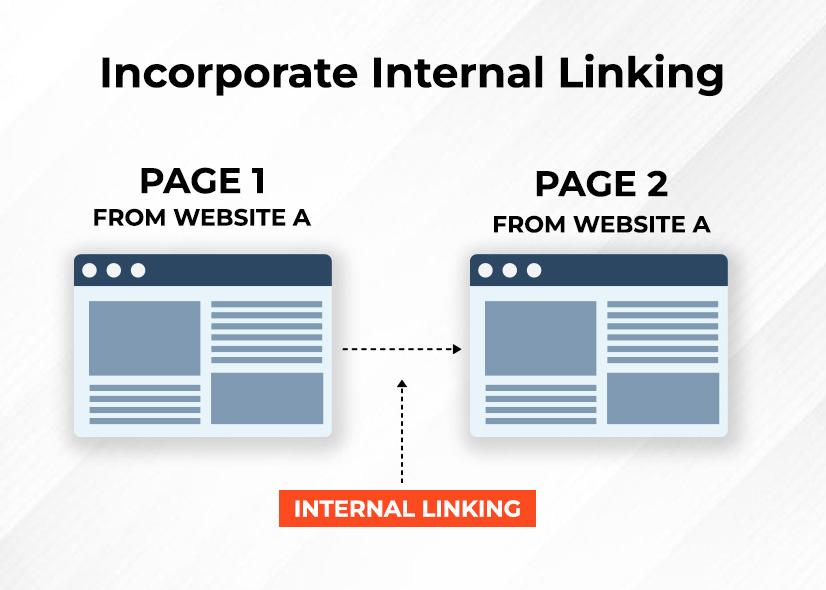
Following this point can give a boost to your Shopify store’s rankings on Google’s SERP. You can use internal linking in the blog posts, about us page, FAQs, and even product descriptions. If you think beyond the text links, you can also incorporate images. Furthermore, you can even implement sections such as the right products and even the products that are in a similar category to those on the product pages.
Include Alt Text for Each One of the Shopify Store’s Images
Did you know that Alt(alternative) text is basically an image HTML attribute which describes the content and the reason why the image is on the page? By default, Shopify will use a product name in every product image as an alt text. So, it’s much better than leaving it all empty, but you can even optimize it with ease. You should try to be as descriptive as you can and have unique text for each variant of the image. In case you are using descriptive image file names, you can also carry out easily with the help of export or import, as it is quite practical.
Opt for Descriptive Names, Particularly for Image Files
You need to know that this point isn’t only for SEO purposes, but it can be used for several different reasons. In fact, having descriptive names for the image files can help your Shopify store a lot for a variety of reasons. File names such as “main.jpg” or “1.jpg” won’t tell you or even Google a lot about the results that you can expect. So, you can use a variety of names and their variations to explain what’s there on the image. The best part about this approach is that it’ll be a great opportunity to incorporate your targeted keywords.
Compress the Size of the Images and Optimize Them.
Are you aware of the fact that the size of the images is a leading factor behind slower page loading? That’s more of the reason why compressing the size of the images and optimizing them must be an important part of your Shopify SEO strategy. In fact, for most cases, the major media resources will be images. Shopify doesn’t have a particular image optimize that you can utilize, and it uses whatever image gets uploaded. Moreover, some of the themes also have lazy load, which is an amazing option.
Keep the Sold-out Products Active
Are you aware that many Shopify store owners make a common mistake? Once a product goes out of stock, the seller deactivates it and switches it to draft or unpublishes it from the digital store channel. It’s because there’s no sense in showcasing sold-out products to your potential customers. But, by deactivating the product, you’ll be able to deactivate its URL and even get a 404 not found error. Google doesn’t like it at all and can even punish it. So, the best approach is to take care of the sold-out products by keeping them active and even pushing them to the bottom of the store collection as well.
Craft Unique Content for the Product Pages
Google rewards unique content, and the websites or stores that have original content are rewarded with top ranks. So, your goal should be to have at least 300 words of content on each product page. Writing a tailored product description of such length can prove to be a difficult task, but you can add various elements to it. Some of those elements are customer reviews, FAQs, along with technical information, which can help you get sufficient content. However, you should write the content from scratch rather than using product descriptions from your supplies.
Have a Blog
A blog isn’t a deal-breaker when it comes to running a successful e-commerce business. Instead, it is a long-term strategy which requires plenty of resources. However, if it is done in the right manner, it can provide a lot of value and plenty of SEO advantages.
Publishing plagiarism free content on your blog also helps your online store rank better in search engines and build long term trust with users.
Why Choose SEO Toronto Experts for Shopify SEO?
If you want to get impeccable results for your Shopify store, you must opt for our Shopify SEO services. We’ve many Shopify SEO experts who have carried out several successful SEO campaigns for leading brands. If you want similar or even better results for your Shopify stores, you should choose our Shopify SEO services. You can contact us now to book our Shopify SEO services right away.
Wrapping Up
Carrying out SEO for a Shopify store is a process that never ends, as it involves handling the minutest details associated with it. It needs plenty of resources, and you won’t get results on an immediate basis. However, if it is done appropriately, it can make your online store achieve the success that it truly deserves. By following this Shopify SEO checklist, you’ll be all set to get great results on your Shopify store. So, it’s time to tickmark the Shopify SEO checklist and take your Shopify store to new heights.



